For alliance leadership

Plan the hive.
Lead the alliance.

Hive Planner Pro is a planning table for alliance leaders. Lay out every HQ, banner and member city on a tile-accurate map, see territory and coverage at a glance, and hand your officers one plan everyone understands.

One-time payment · No subscription · Sign in with Google
rc920.app/hive/app
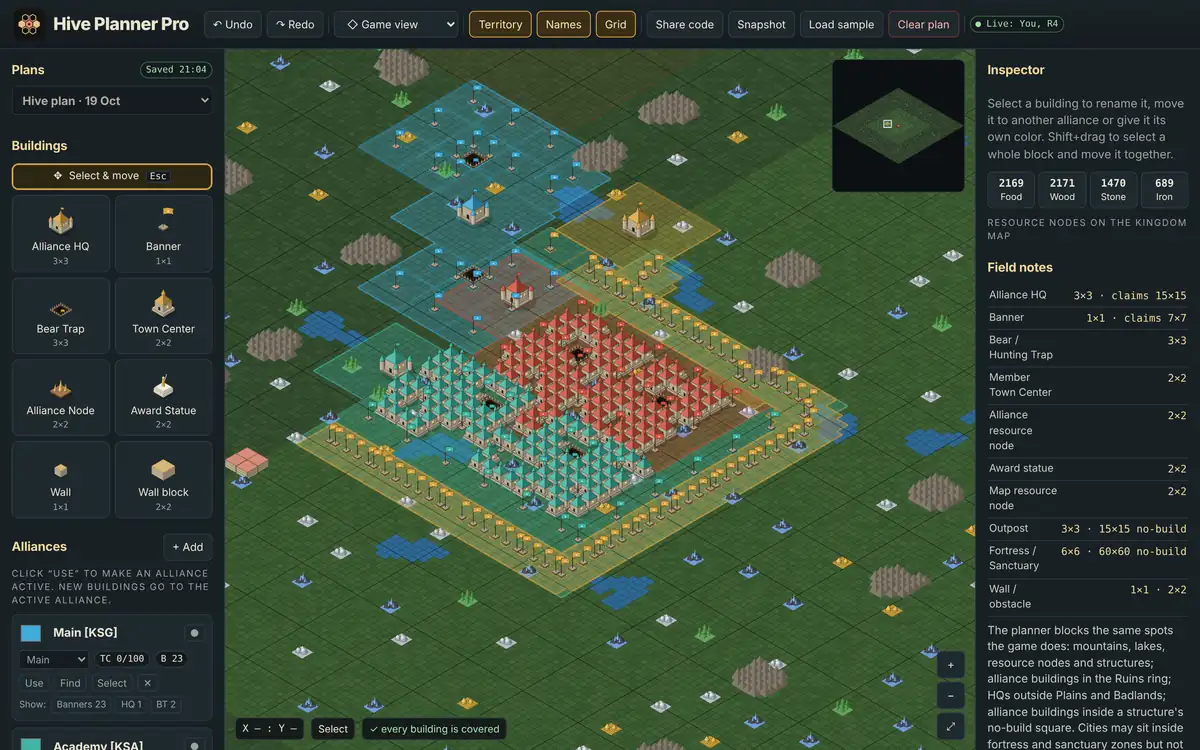
Hive Planner Pro: an isometric alliance hive with HQ, banners, member cities and a wall, next to the building palette and inspector.
100/100 cities placed
✓ every building covered
Game view · Flat · Grid
1200×1200TILE-ACCURATE MAP
3 viewsGAME · FLAT · GRID
UnlimitedSAVED PLANS
€9.99ONCE, YOURS TO KEEP
Why leaders use it

One map. One plan.
No more screenshots in chat.

Coordinating dozens of players around a hive is a leadership job, not a game of guesswork. Hive Planner Pro turns the layout into something you can plan, check and share before anyone moves a city.

01

Plan before you move

Drop HQs, banners, traps, nodes and member cities exactly where they fit. Mountains, lakes, resource nodes and no-build zones are blocked, just like in the game.

02

See coverage instantly

Territory is drawn as you build. The planner flags buildings outside your territory or not linked to an HQ, so gaps show up on the map, not on the battlefield.

03

Every alliance in one plan

Main, academy, wall and allied alliances each get a colour and a role. Switch the active alliance, count cities and banners, and keep the whole family on one layout.

Planning

Build the hive tile by tile

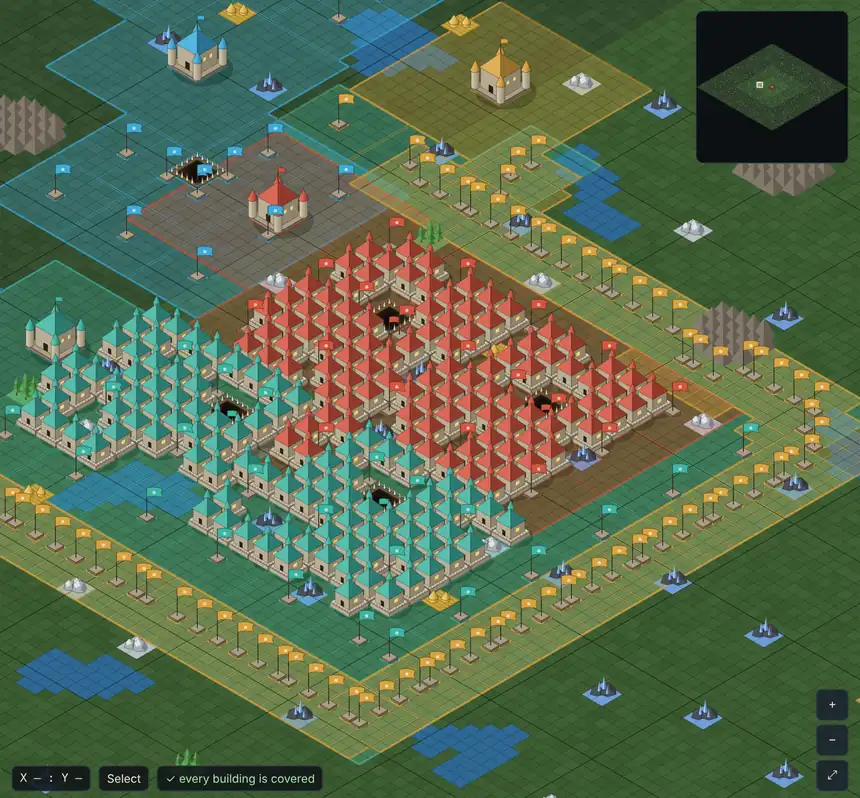
Pick a building from the palette and place it on the real map. Move whole blocks at once, rename member cities and undo anything.

  • Alliance HQ, banners, bear traps, nodes, statues and walls with true footprints
  • Name every member city so each player knows their spot
  • Shift+drag to select a block and move it as one
Game view
Close-up of an alliance hive in game view: named member cities around the HQ, banners and a defensive wall.
Visualisation

Switch to the grid when precision matters

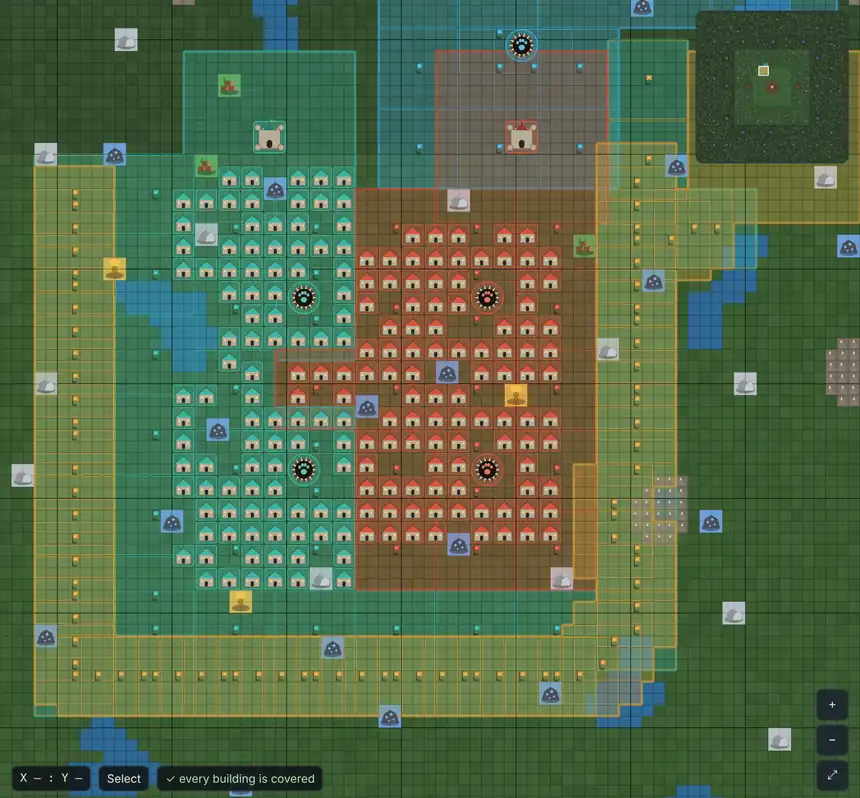
The same plan in a top-down grid. Read exact coordinates, check spacing and see territory outlines without the isometric tilt.

  • Game view, flat diamond or top-down grid
  • Territory, names and grid layers you can toggle
  • Jump to any coordinate, your hive or the castle
Top-down grid
The same hive in top-down grid view, showing territory outlines and named cities.
Strategy

Read the whole map before you choose a spot

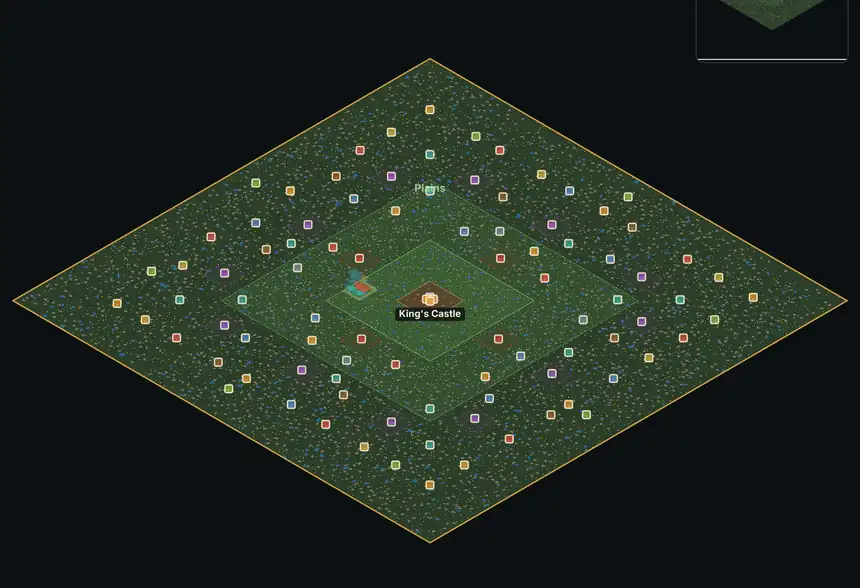
Zoom out to the full map with every fortress, sanctuary, outpost and resource node. Filter nodes by type and pick a hive location with intent.

  • All fixed structures with their no-build zones
  • Food, wood, stone and iron nodes with filters
  • Zone rings from badlands to the castle
Whole map
Full map overview with zone rings, fortresses, outposts and resource nodes around the central castle.
From plan to orders

How a leadership team uses it

STEP 1

Scout

Open the whole map, filter nodes and pick where the hive goes.

STEP 2

Lay out

Place HQ and banners, then fill in member cities by name.

STEP 3

Check

Fix anything outside territory or unlinked until every building is covered.

STEP 4

Share

Export a snapshot image or share code and post it for your officers.

Unlock

One payment.
Your plans, saved to your account.

Sign in with Google, pay once with Stripe, and the planner opens straight away. Plans are saved to your account, so you can pick them up on any device.

Hive Planner ProLIFETIME
€9.99one-time
  • Full planner on desktop and mobile
  • Unlimited saved plans in your account
  • All alliances, roles and colours
  • Snapshots and share codes
  • Future updates included
Step 1 of 2: sign in so the purchase is linked to your account.
Community

Share your hive ideas

Built a layout you're proud of, or spotted something the planner should do better? Upload a screenshot and it lands straight in our inbox.

PNG, JPG, WebP or GIF · max 8 MB

Questions

Good to know

Is this a subscription?

No. You pay €9.99 once and keep access on your Google account. Updates to the planner are included.

Do my officers need to buy it too?

No. Send them a view link from the planner: they sign in with Google and can watch your plan live for free, and you see who is looking. Anyone who wants to build their own plans needs their own unlock.

Does it work on my phone?

Yes. The planner runs in the browser on desktop, tablet and phone. A larger screen is more comfortable for big layouts.

How is payment handled?

Payment runs through Stripe's secure checkout. RC920 never sees your card details. Questions or a problem with your purchase? Email support@rc920.app.

Is this an official game tool?

No. Hive Planner Pro is an independent fan-made planner by RC920 and is not affiliated with or endorsed by any game publisher.

What happens to my plans if I sign out?

They stay saved in your account. Sign in again with the same Google account on any device to continue.